Gogoro Digital Brand Hub
Designed dealer-facing and internal management experiences used every day by Gogoro's teams and dealers across Taiwan.

Challenge
Gogoro needed two versions of the Digital Brand Hub: a dealer-facing resource library and an internal management system.
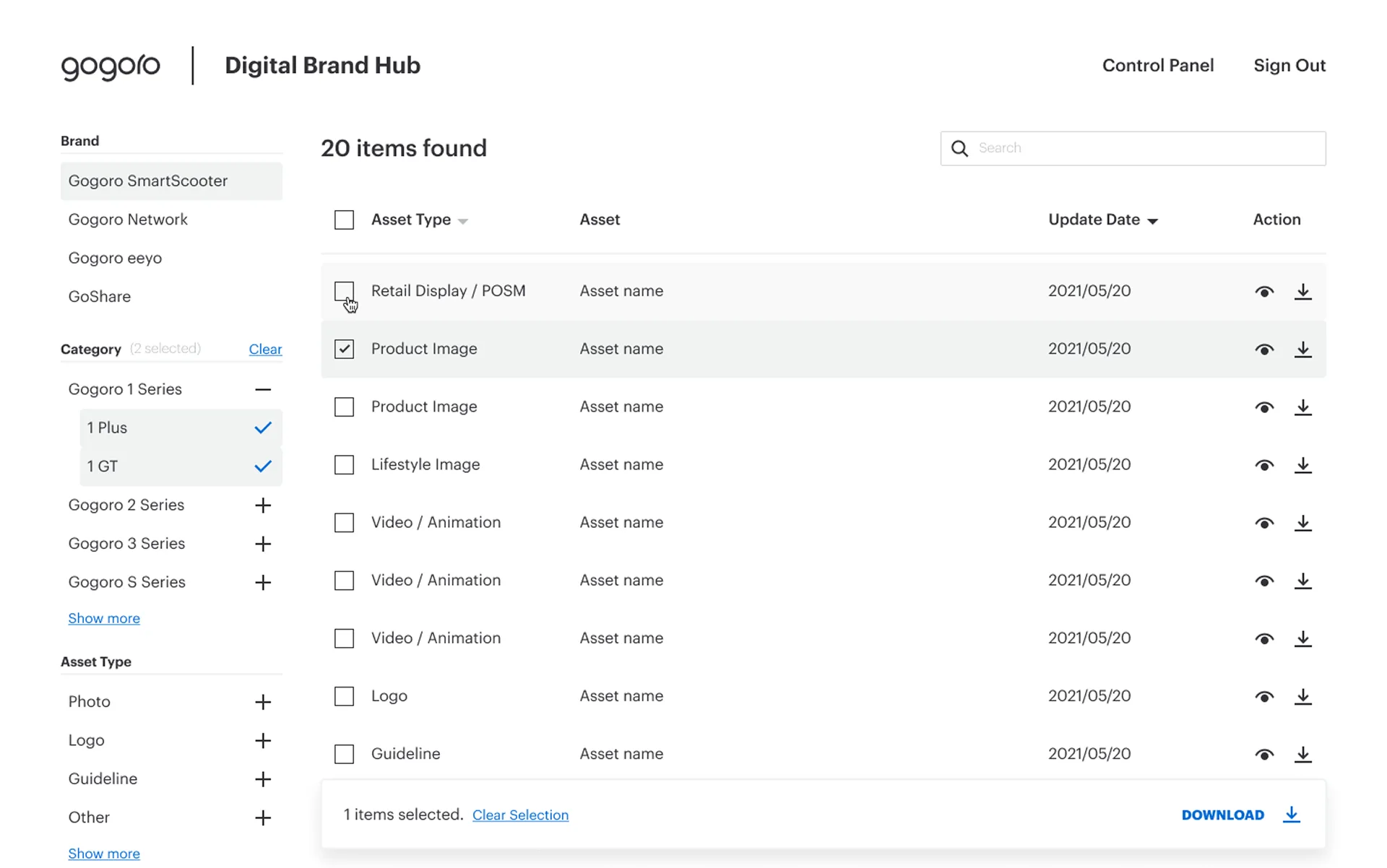
For dealers, the challenge was turning a complex product portfolio into a clear filtering system. They needed to select resources across different brands, products, categories, and asset types, then download them together.
For internal teams, the challenge was making that complex structure easy to maintain, with straightforward ways to manage product lines, permissions, and asset uploads.
Approach
I was responsible for defining the product structure, user flows, and interface in Figma. I worked directly with Gogoro’s internal team to understand how dealers searched for resources and how the team managed product lines, permissions, and uploads behind the scenes.
Turning internal discussions into a clear structure
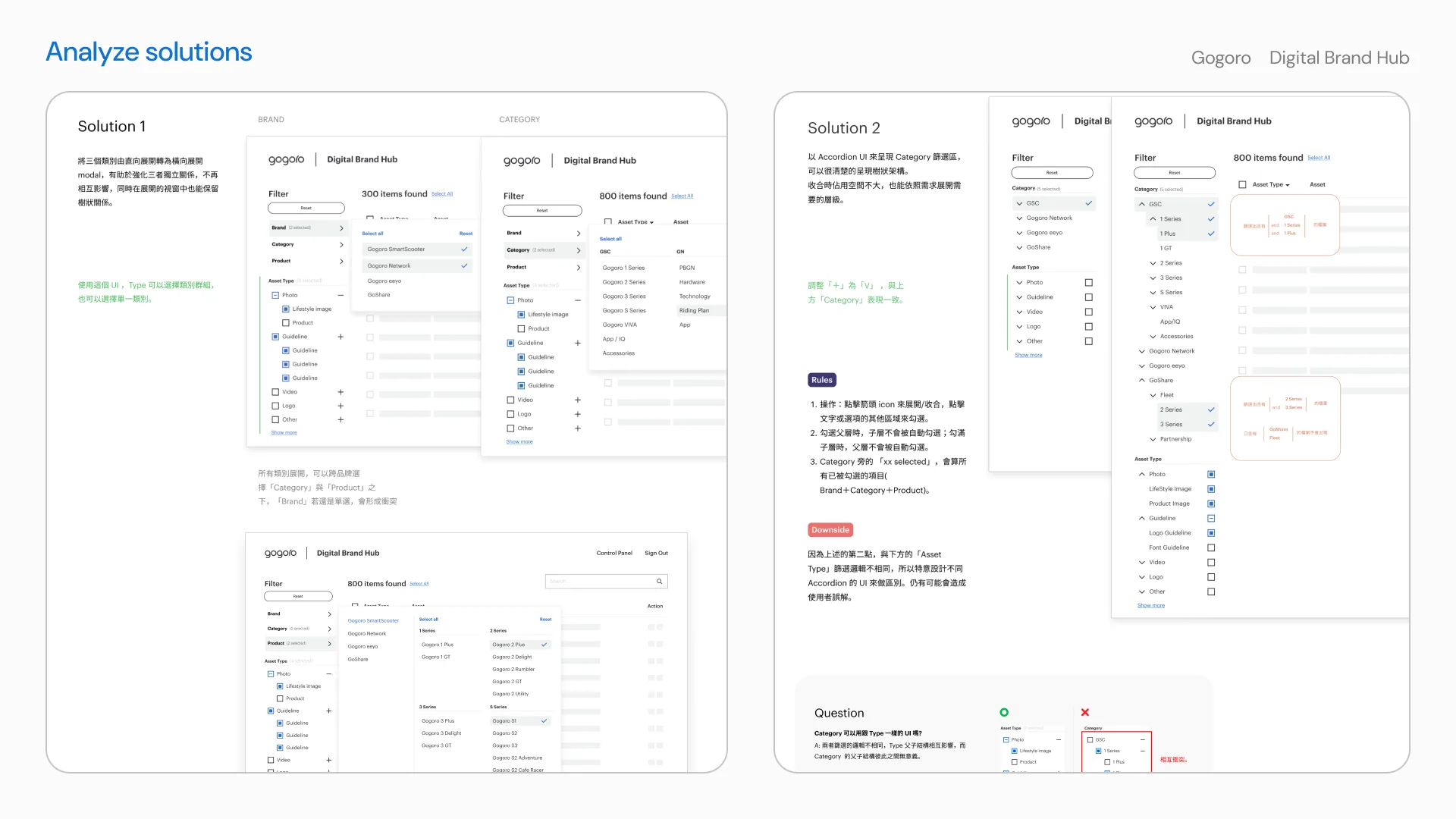
Through ongoing discussions with the Gogoro team, we mapped the relationships between brands, categories, products, and asset types. I explored different ways to present this hierarchy and compared how each option would affect filtering and multi-selection.
The final direction used a nested structure that keeps related options together while still letting users combine filters across different levels.
Designing the internal upload flow
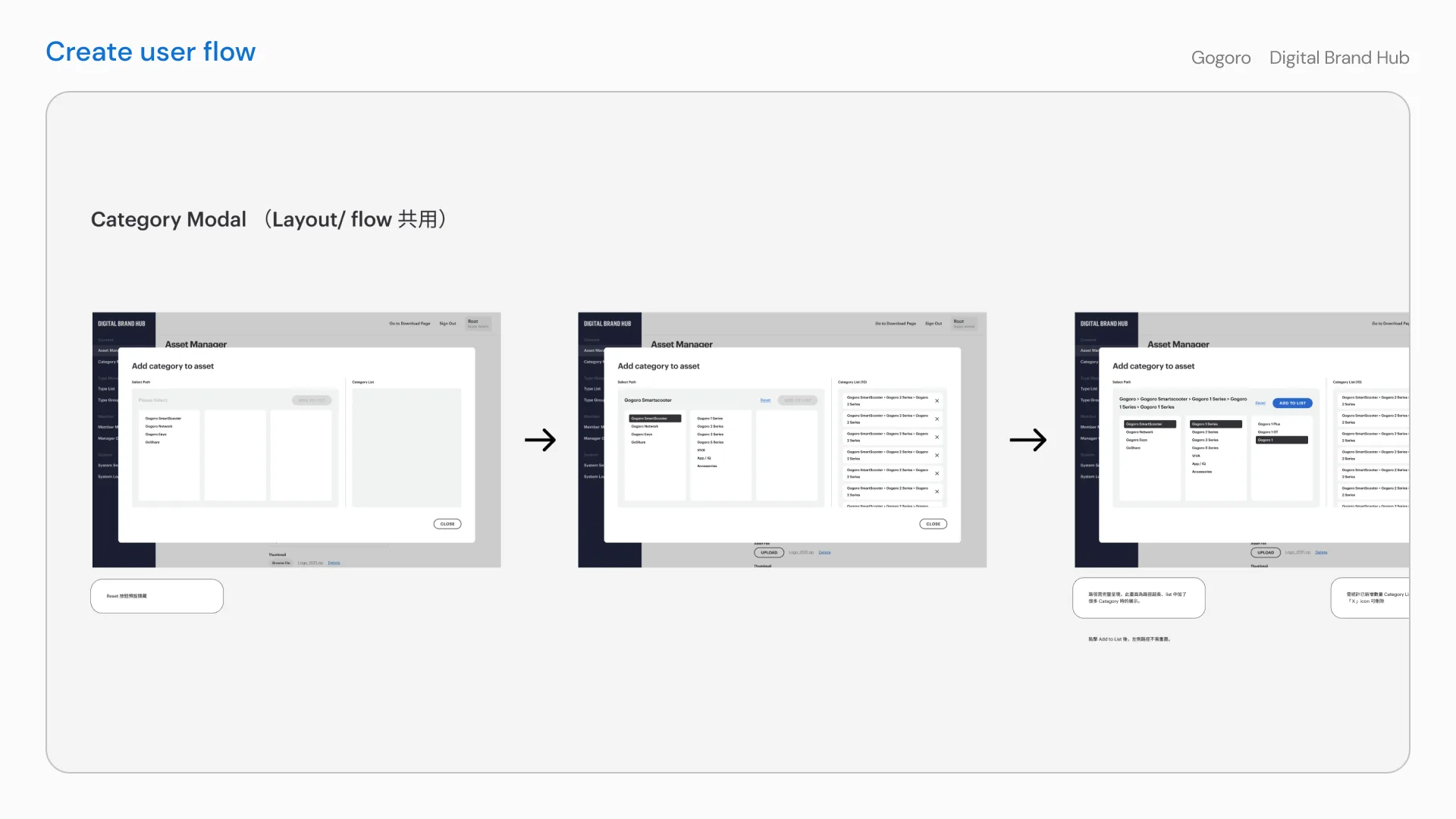
For the internal team, uploading a resource involved more than selecting a file. They also had to place it within a complex product hierarchy, assign it to multiple relevant categories, and monitor its upload status.
I designed the flow so the team could add an asset to several product lines without repeating the upload. I also defined how the system should respond to progress, failure, retry, cancel, and completed states.
Making the design ready to build
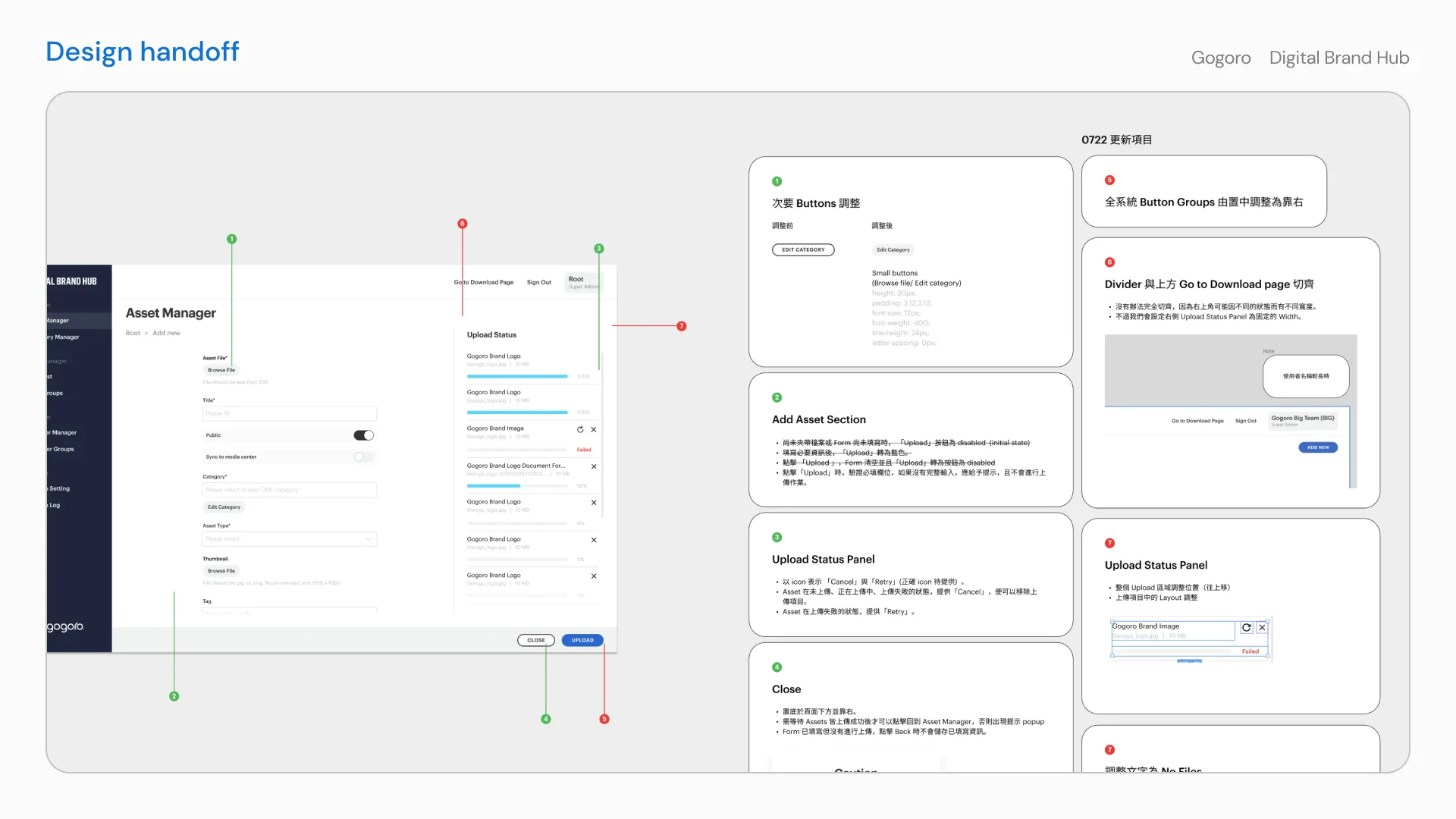
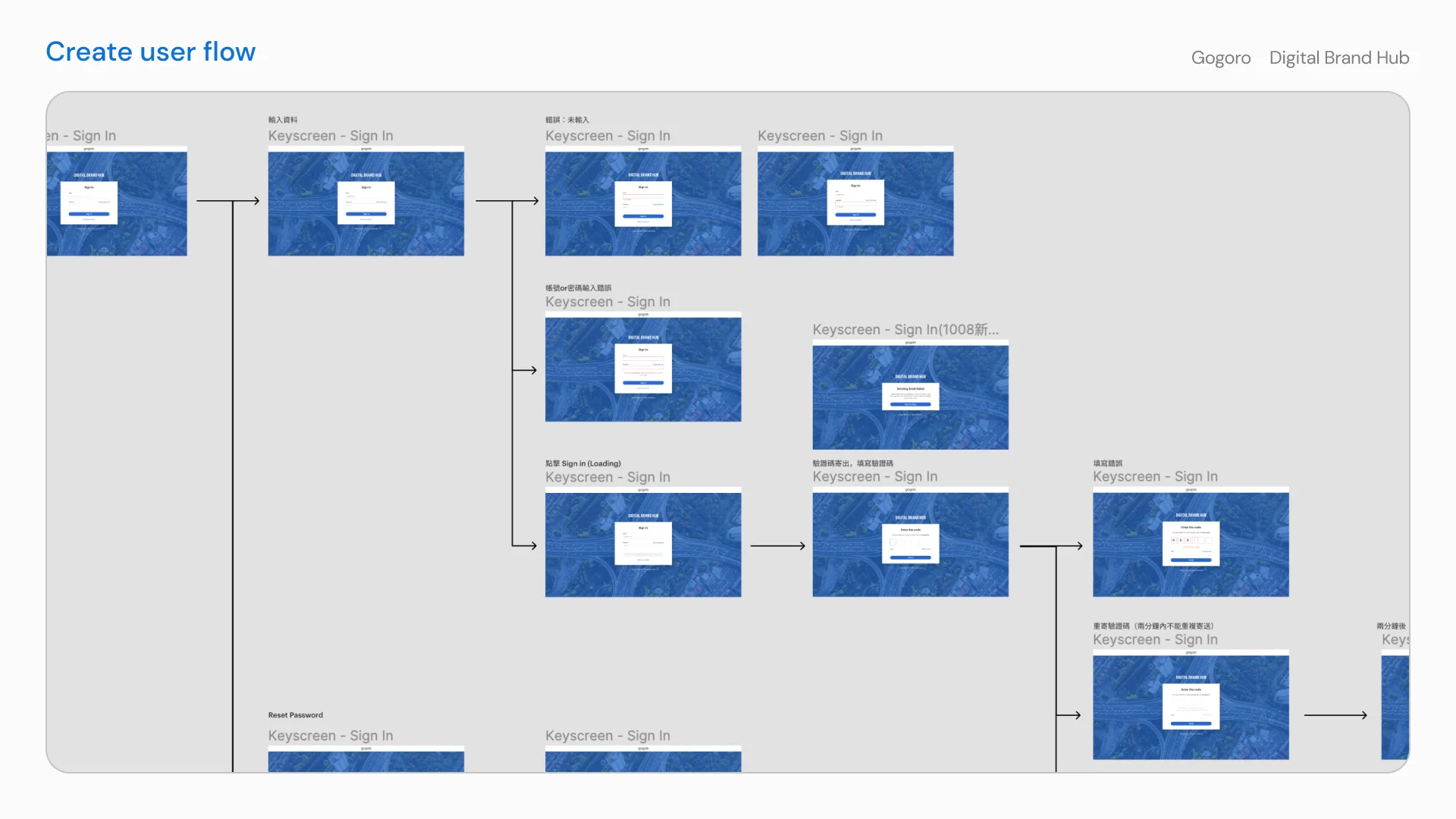
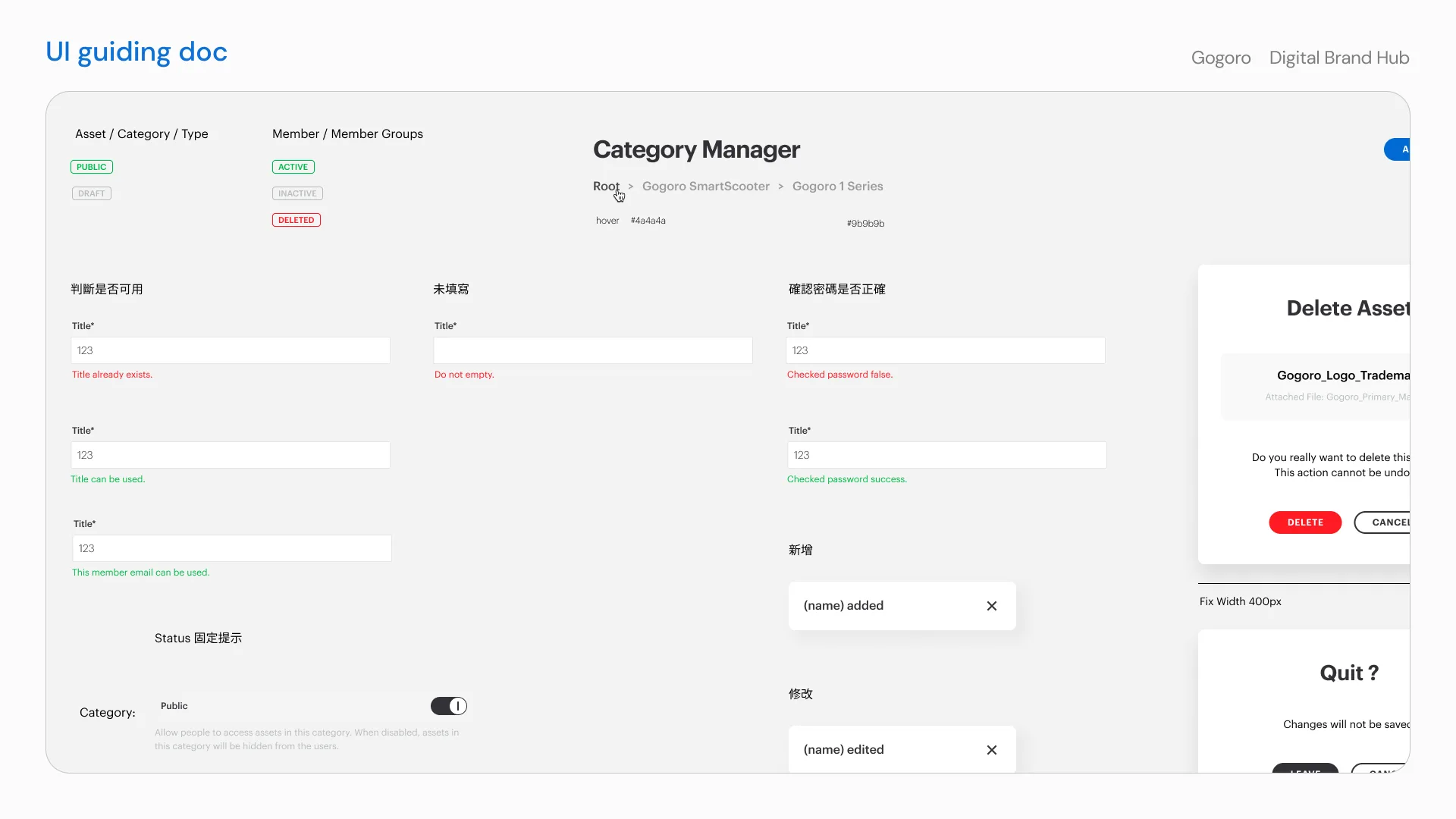
I documented shared component states, validation messages, dialogs, and status feedback so the development team could apply the same behavior consistently across the platform. This included access flows such as signing in, recovering a password, and handling loading or error states.
Outcome
The result is a platform with dealer-facing and internal versions that Gogoro’s teams and dealers across Taiwan use every day. Dealers can find and download the materials they need, while internal teams manage the asset library behind them.
By defining the information structure and interaction details together with the internal team, we created two focused experiences that support day-to-day asset work across Gogoro and its dealer network.